.

Custom Designer

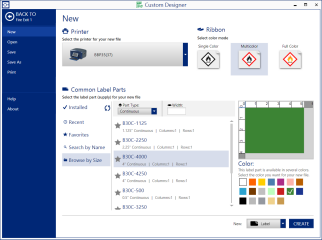
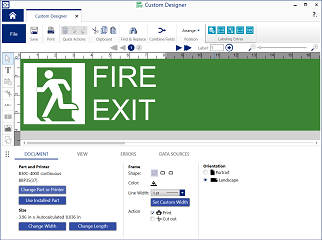
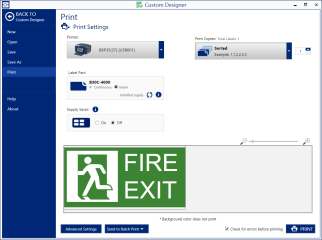
Complete, customized label creation and editing.


When you need full label creation capabilities to streamline your work and maximize your investment, Custom Designer is the app of choice. This premier label editing app includes all of the features of Custom Designer Lite, plus more barcodes, linked objects, label error checking, subscript/superscript, advanced editing tools and more. It also opens saved "graphics mode" files from LabelMark 5 and 6 without the need to convert.

  • Includes all features from Custom Designer Lite plus more
  • Works with all extensions for importing data, creating sequential labels and editing templates
  • Open any LabelMark 5 or 6 graphics mode file - no import needed!
  • Includes: Sequence, Excel Import, Template Editor
Release Notes
  • Supports upcoming i3311 and i5311 printers.
  • Adds RFID encoding for the upcoming i7500 RFID printer.
  • New GS1 Barcode Builder wizard makes entering Application Identifier (AI) values easy.
  • Supports GS1-128, GS1-DataMatrix, and GS1-QR codes.
  • Select AIs from a list.
  • Add data by importing, creating a sequence, setting up date and time values, or combining values from other objects on the label.
  • Validate barcode values.
  • Display human readable text including AI numbers, spaces, and parenthesis, but this formatting does not become part of the barcode value.
  • Barcode sizing improvements:
  • Likely minimum and maximum barcode values are provided by default.
  • Barcode sizing is checked against minimum and maximum values when importing data.
  • Flexible barcode sizing option removes density (X dimension) restrictions based on the DPI of the printer.
  • New setting for linear barcodes determines how many characters of data are encoded per inch (or mm) of barcode length.
  • Density setting renamed “X dimension” to align with standard terminology.
  • Set the error correction level for QR codes.